Shipping now
Openterface uConsole KVM Extension Module v2
Transform Your uConsole into a Portable KVM Console
KVM. Network. SD Card. One Expansion Slot.
Detaillierte Specs, Setup-Anleitungen und FAQs finden Sie auf docs.openterface.com.
Dokumentation öffnen ↗Bleiben Sie informiert
Openterface uConsole KVM Extension Module v2: Launch- & Firmware-Updates erhalten
Erfahren Sie als Erster von Vorbestellungen, Firmware-Releases und Setup-Tipps für dieses Produkt — höchstens eine E-Mail pro Monat.
- Früher Zugang zu Crowdfunding- und Vorbestellungsfenstern
- Setup-Anleitungen und App-Release-Notes
- Jederzeit mit einem Klick abbestellen
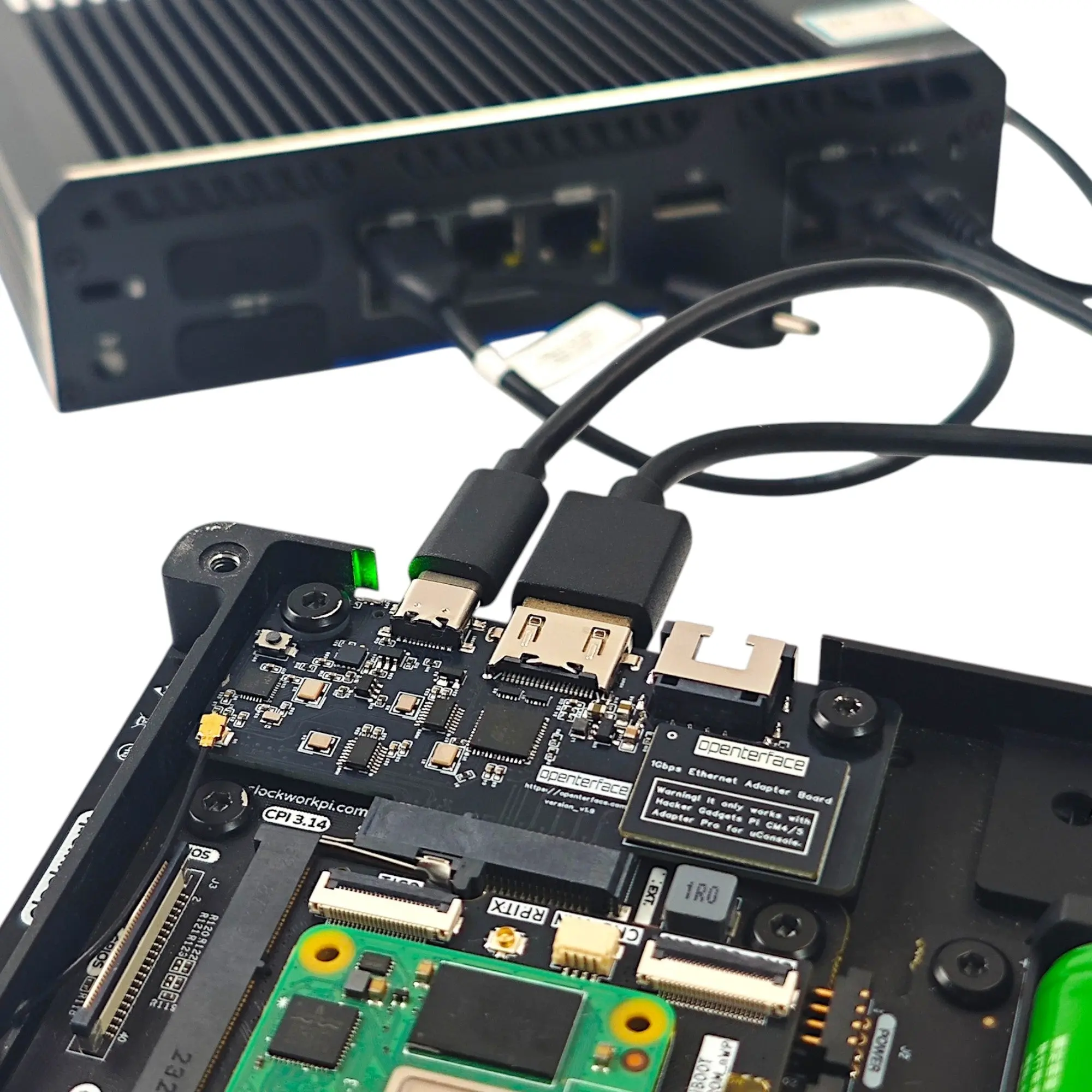
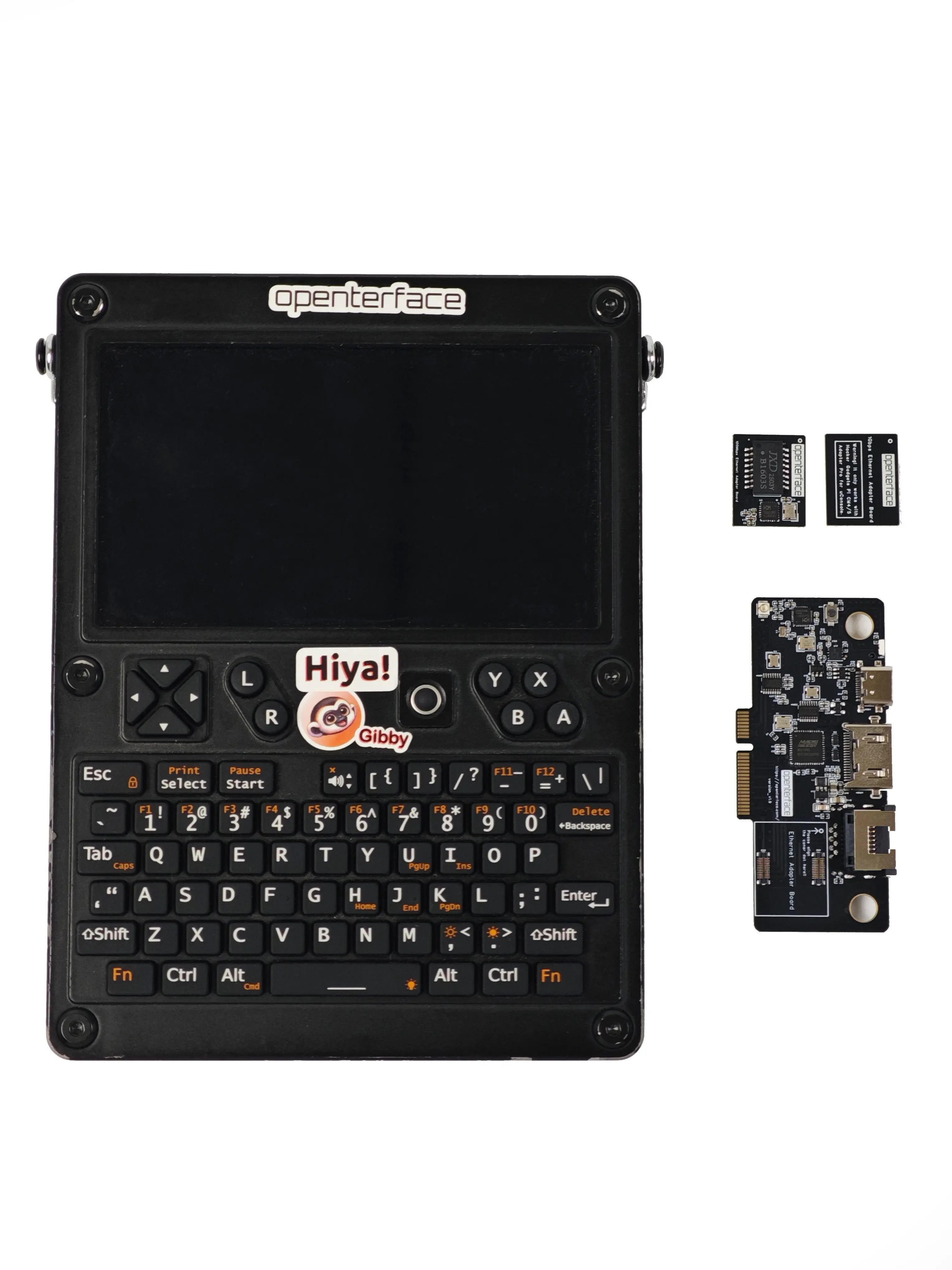
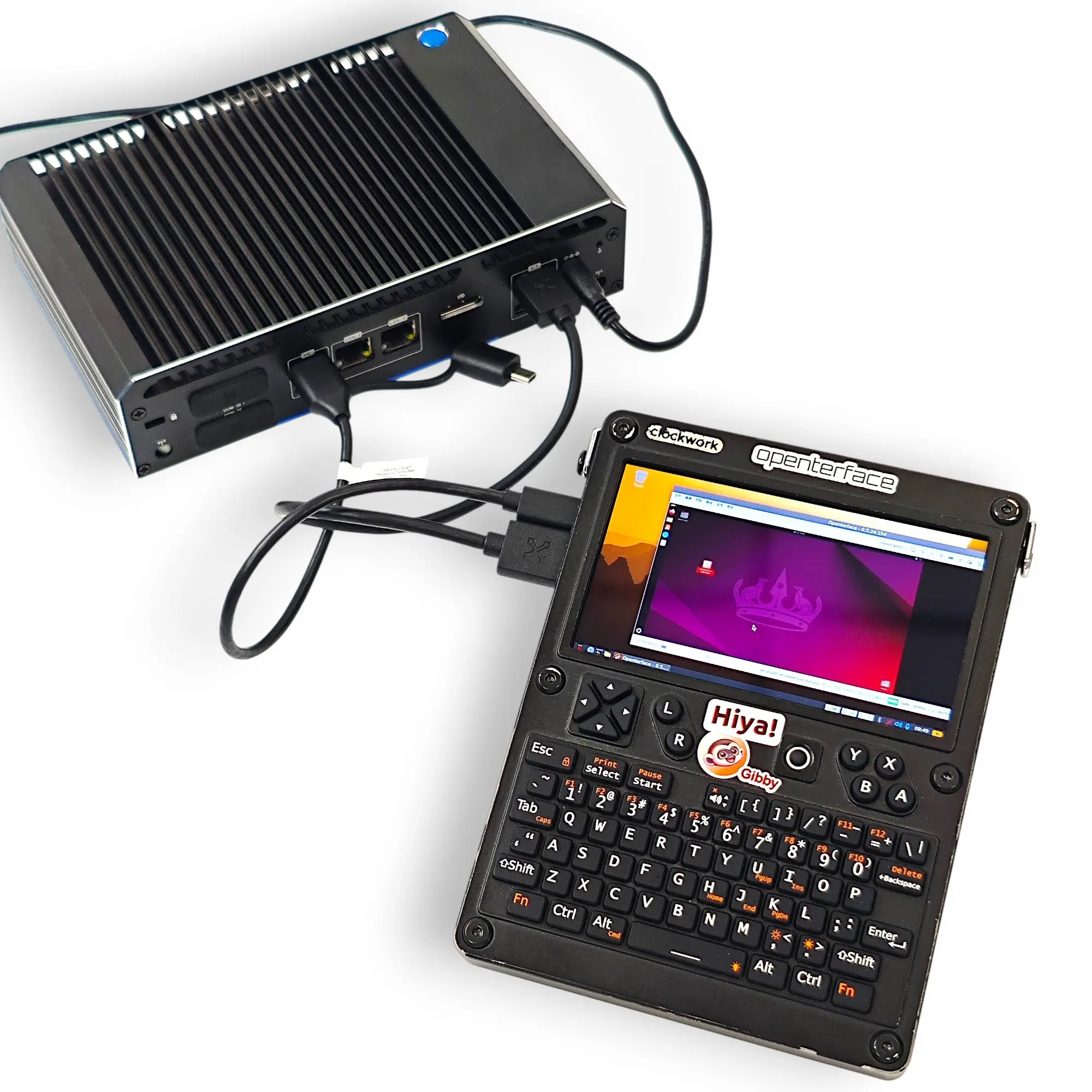
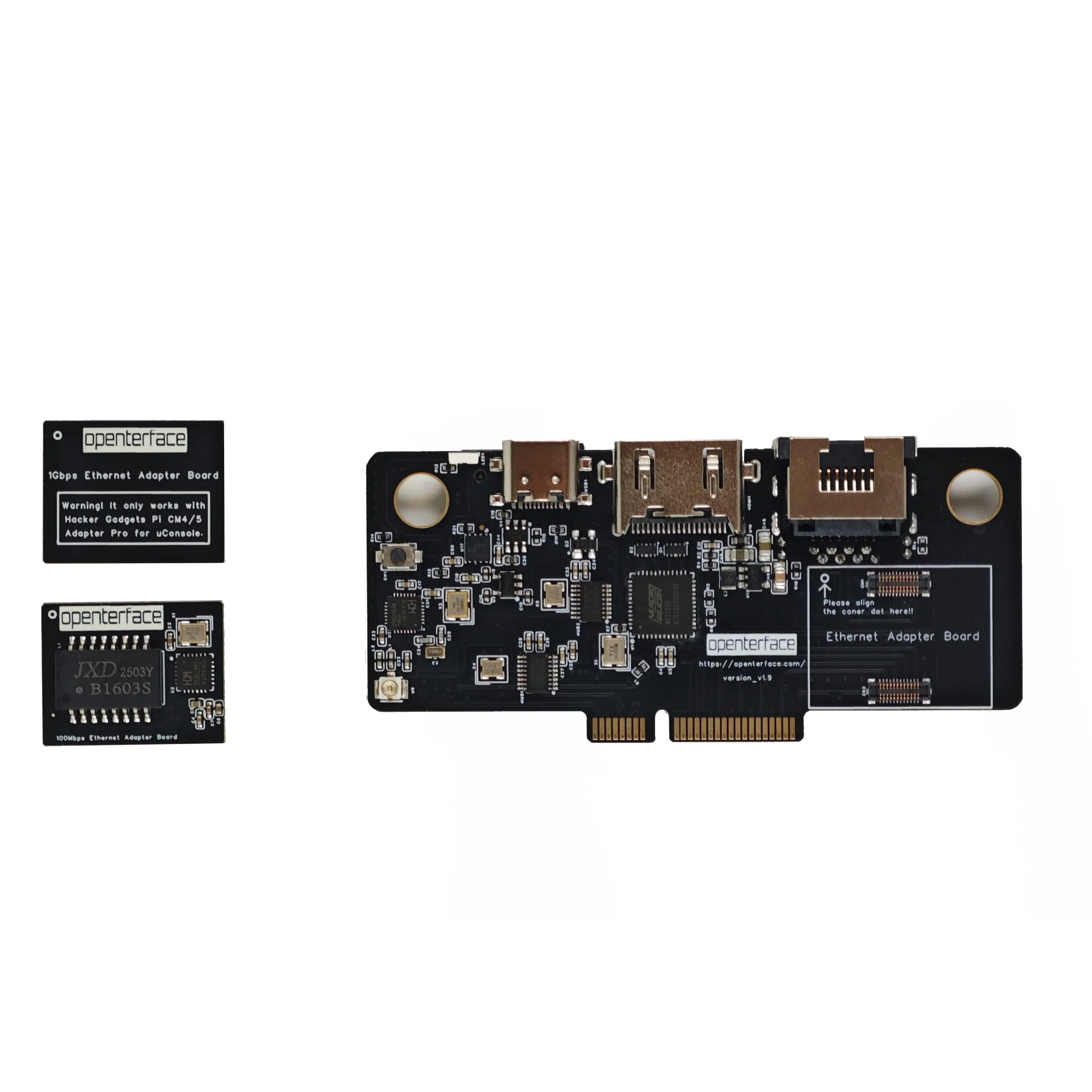
Extension Module v2 plugs into your Clockwork uConsole expansion slot with HDMI KVM, dual Ethernet (100M + 1000M cards included), SD card read/write, and USB 2.0 switching — powered from the slot with no external adapter.
Das Problem
- Portable consoles lack integrated KVM for headless targets
- Field techs carry monitors, keyboards, and card readers to every site
- Network KVM needs configuration — useless when the target is offline
Die Lösung
- Native uConsole expansion — screen, keyboard, and trackball built in
- KVM + Ethernet + SD card in one 77.3 × 34.7 mm module
- Direct HDMI + USB HID with no software on the target device
Hardware + Software
Openterface-Produkte funktionieren am besten mit unseren Open-Source-Host-Apps.
- Direct HDMI + USB HID
View and control targets through the uConsole screen with full keyboard/mouse emulation — BIOS-level access included.
- Dual Ethernet cards
100M and 1000M cards included in every box. 100M works on all base boards; 1000M needs the HackerGadgets Upgrade Kit.
- SD card read/write
Flash images, export logs, and transfer files without an external card reader.
- USB 2.0 shared switching
Switch USB storage between uConsole and target via the host app.
- Low latency 60 Hz
1080p @ 60 Hz output with under 70 ms latency for responsive maintenance and debug.
- OSHWA certified line
Open Source Hardware Association UID CN000021 — open schematics and host apps.
Anwendungsfälle
Field IT & network debug
KVM for BIOS access plus Ethernet for SSH and web management — one pocketable device.
SD imaging on the go
Write OS images and move logs from your uConsole without a separate card reader.
Homelab & embedded debug
Configure headless SBCs and lab gear from the uConsole you already carry.
Network-free troubleshooting
When the target has no IP — HDMI + HID still works.
Wichtige Specs
- Compatibility
- Clockwork uConsole (expansion slot)
- Dimensions
- 77.3 × 34.7 mm
- Video input
- Up to 4K @ 30/60 Hz (HDMI)
- Video output
- 1080p @ 60 Hz, <70 ms latency
- Network
- 100M + 1000M cards included
- Target software
- None required — plug and play
What early users say
“Works flawlessly and makes the uConsole really useful!”
“A mandatory add-on for the IT pro. No more looking for a monitor or keyboard!”
YouTube
Installation & community demos

Openterface KVM On The uConsole
Jeremiah of All Trades · 752 views

Make your uConsole into a KVM!
Symbiiote · 2.0K views

The Smallest KVM You’ll Ever Use? The Openterface by TechxArtisan
Sam's eXperiments logs · 1.9K views

Quick test of the Opernterface KVM EXT. for the uConsole.
AK_Rex · 453 views

Openterface KVM Ext. for uConsole | Screw Washers Installation
TechxArisan · 160 views
Extension Module v2 now shipping
Dual Ethernet, SD card, 60 Hz output — the next-generation uConsole KVM expansion is available now.
Read on Openterface News →